
Sizecode Groupings allows operators to categorise their sizecodes into three dimensions: Type, Price Tier, and Size Tier.
Sizecode Type and Price Tier previously existed only in Spaceman Link, available to customers building their own API integrations. They were not accessible through any Spaceman user interface. With this release:
- Desktop introduces a full UI for managing all three grouping categories for the first time, without needing SQL updates.
- Size Tier is a new dimension, added to support Shop filtering (not currently available for Link).
- Customers already using Type and Price Tier through Link can now manage them from Desktop as well.
Concepts
Each sizecode can be assigned to up to three grouping categories:
| Grouping | Purpose | Example Values |
|---|---|---|
| Sizecode Type | Classify by the nature of the storage unit | Unit, Container, Mailbox |
| Price Tier | Classify by pricing band | Budget, Standard, Premium |
| Size Tier | Classify by physical size range | Small, Medium, Large, Extra Large |
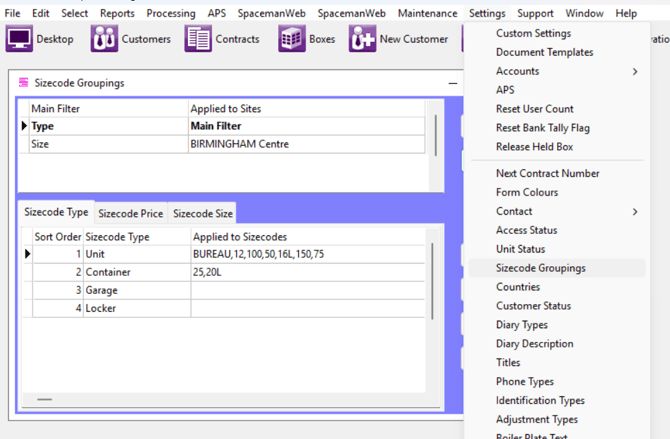
Groupings can be customised per site via Custom Settings, where one category can be designated as the "Main Filter" for use in the Shop.
Desktop Application (Released in 4.5.83)
Managing Grouping Definitions
A new Sizecode Groupings form under Settings allows operators to create, edit, and delete entries for each grouping table.
Assigning Groupings to Individual Sizecodes
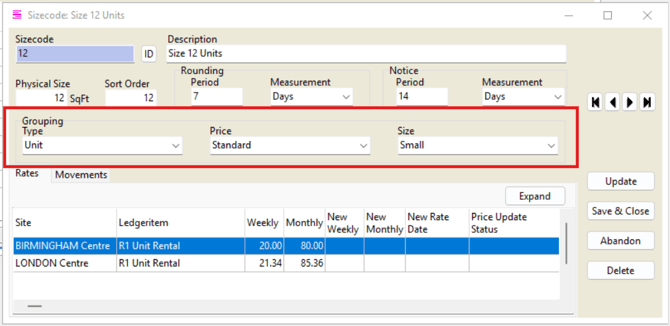
Three new dropdown fields on the sizecode record allow assigning a Type, Price Tier, and Size Tier.
Bulk Operations
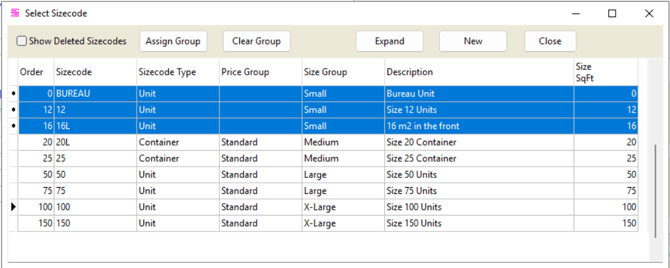
From the Sizecode Selector list, multi-select sizecodes (Ctrl+click or Shift+click) then:
- "Assign" button - assign selected sizecodes to a Type, Price Tier, or Size Tier via popup menu
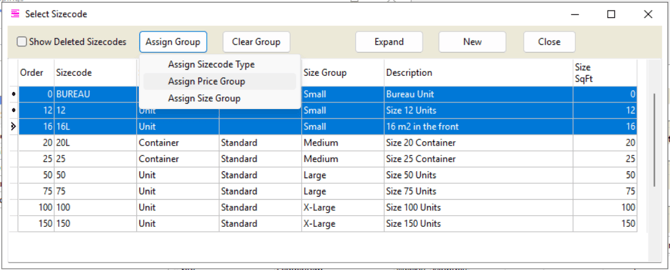
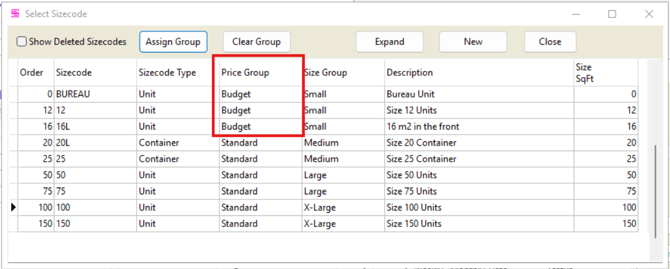
- "Clear Group" button - remove a grouping assignment from selected sizecodes
Audit Tracking
All grouping changes are recorded in the SizecodeMovement audit table, visible on the sizecode form's movements grid.
Custom Setting
The sizecode grouping configuration is displayed in a read-only grid within the sizecode groupings form. The main filter setting can be configured globally or overridden per site. For operators with many sites, rows are grouped by those sharing the same setting value, keeping the display compact. To configure this, go to Settings, Custom Settings, Units/Sizecodes, 7. Group Sizecodes By