TIER 1
- Log in to DandD
- Head to Management Tools>SM Cloud Clients
- Check in the list of live customers if there is a Database Host assigned:
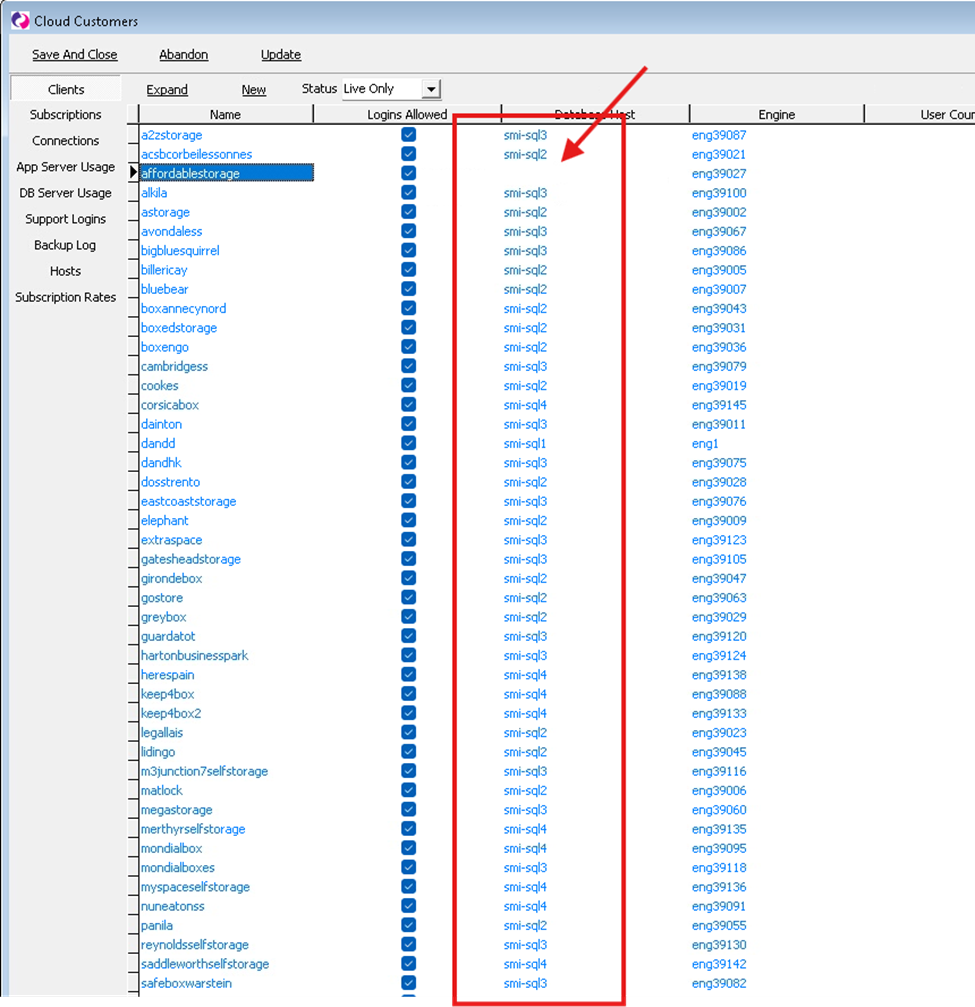
- If there is no Database Host assigned, escalate to tier 2 who would need to report it to IQX.
IF THERE IS
- Open the customer
- Tick restart Hub
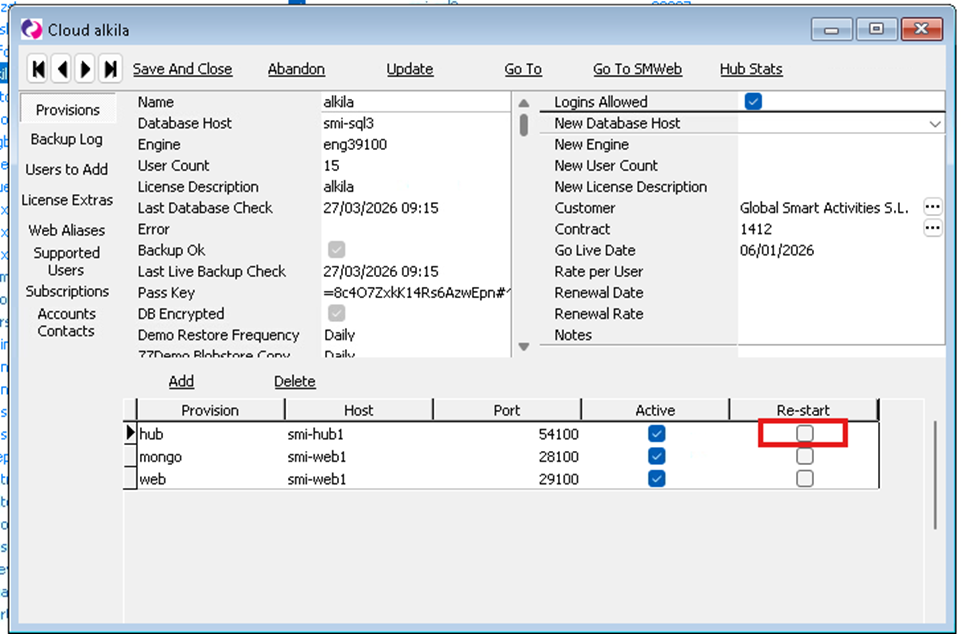
- Click update every 10-20 seconds until it is unticked
- Once the restart tick box has unticked itself ask the customer to try again
- Can they Log in?
- YES: Close the case
- NO: Ask them to delete the cookies in their browser and try again
- Can they Log in?
- YES: Close the case
- NO: Check they are using the right email address that they have set in their user in Space Manager. Log in to their database, go to Maintenance>Users>Check their email address
- Check they are using the right link without https or https. The link should always be saved or pasted as the example written below:
- Can they Log in?
customername.sm-infinity.co.uk
-
- Can they log in?
-
-
- YES: Close the case
- NO: Escalate to Tier 2
-
TIER 2
If after the above steps a customer still cannot get in, please follow the steps below:
- Log in to DandD
- Go to Management Tools>SM Cloud Clients
- Make a note of the Database Host the customer is on, example “smi-sql2”
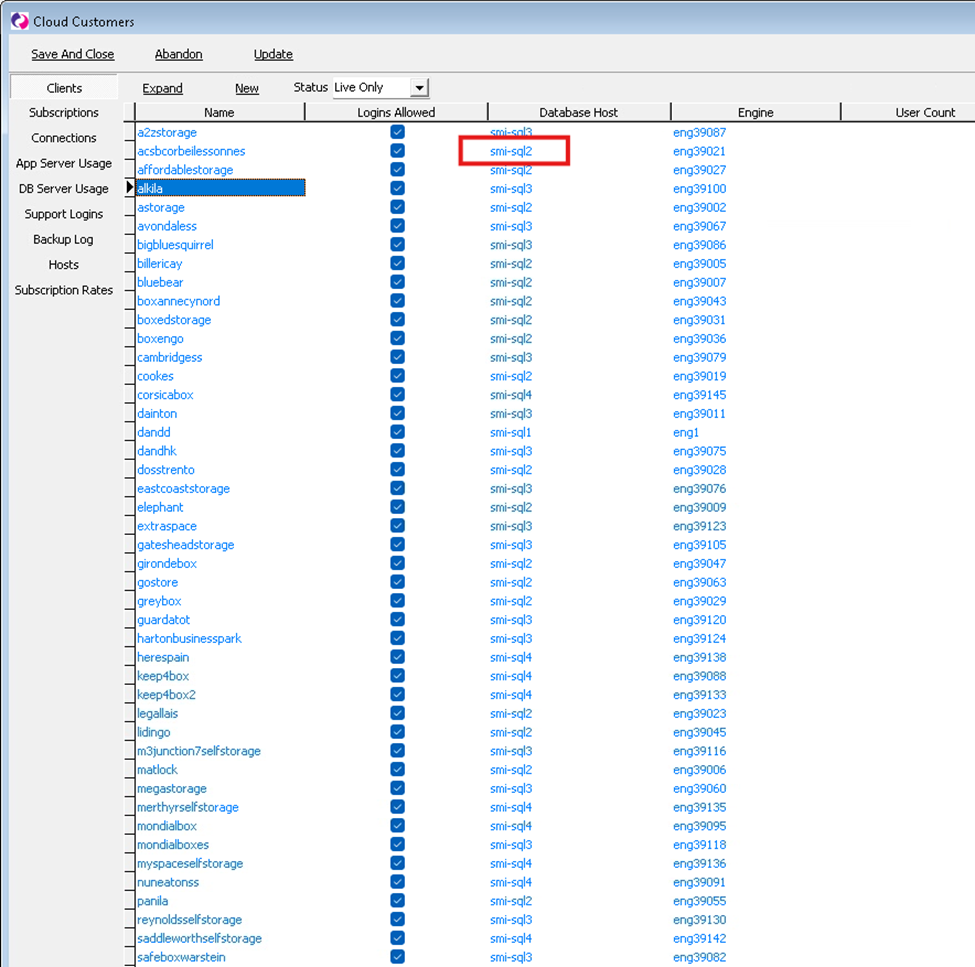
- Open the live customer
- In the New Database Host dropdown select None.
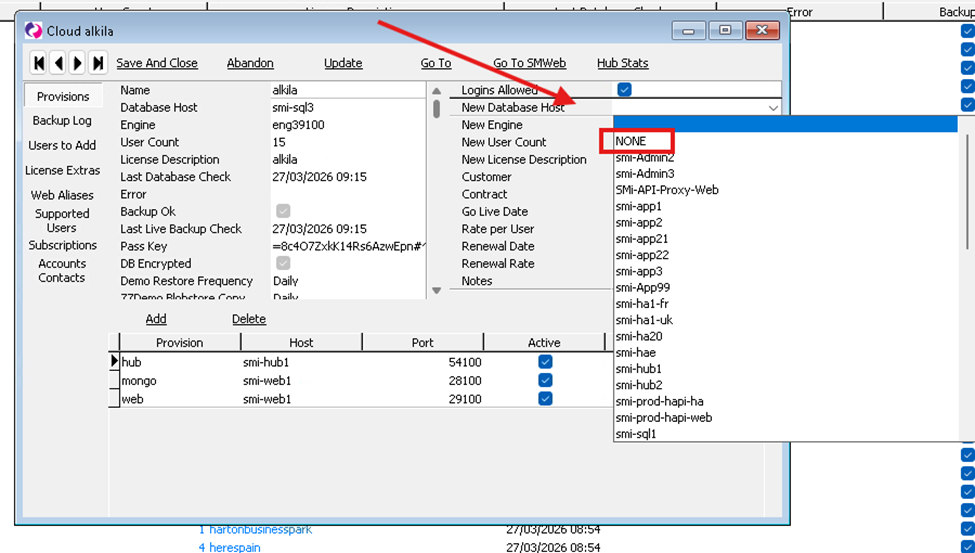
- Click update
- In the previous window where it lists the live customers keep clicking update until the database host for that customer disappears:
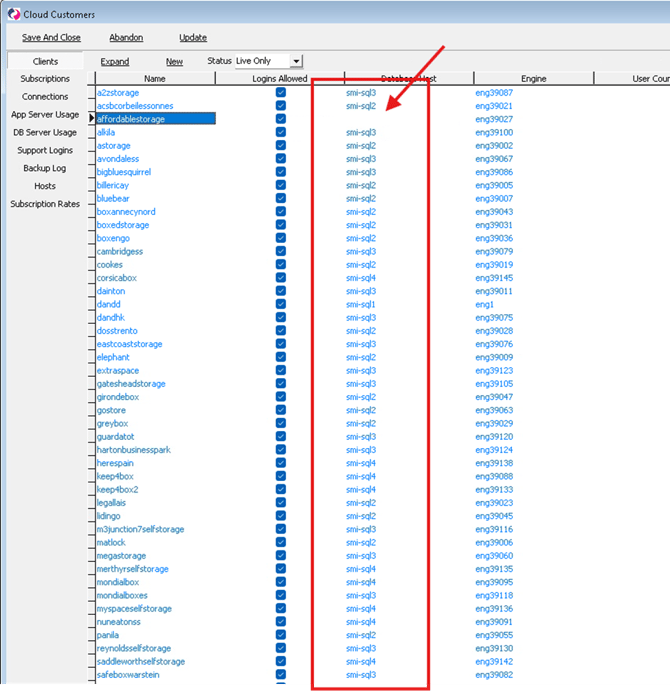
- Open the customer again
- In the New Database Host dropdown, set it back to the database host it was sitting on before (you had made a note of this in the previous steps).
- Ask the customer to try again
- Can they log in?:
- YES: Close the case
- NO: Raise to IQX
- Can they log in?:
MULTIPLE CUSTOMERS Reporting unable to log in/not loading/slowness OR you cannot get in to DandD:
Please email Jenny, Catherine, Tom and IQX asap with the following information:
Description of Exact issue with possible screenshot:
Customers affected:
Number of connections: *
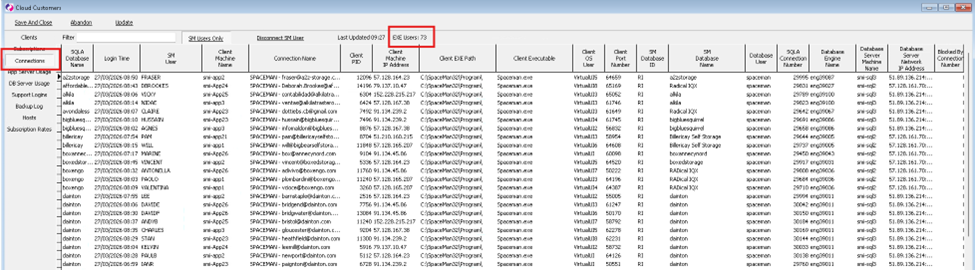
* The number of connections can be found in DandD (If you can get in): Go to Management Tools>SM Cloud Customers> Connections (on the left)> Exe Users