
New Features
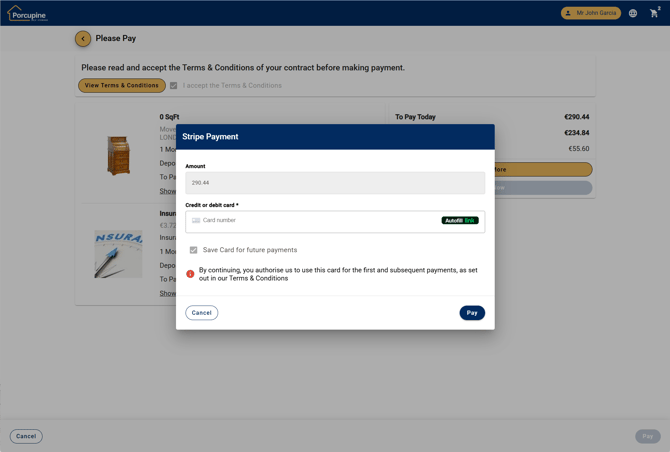
Save card for recurring payments in Spaceman Shop
When a customer makes their first contract payment via Spaceman Shop, their card details are securely stored in Stripe and a PCI-compliant token is saved in Spaceman Desktop as the contract payment method. Future payments are fast and simple using the stored card, reducing admin and payment-chasing for site staff.
What this means for you:
- No need to send Stripe Payment Links from Spaceman Desktop for recurring card payments on contracts created via Spaceman Shop.
- This feature is enabled by default.
Portal / Shop - Site info button bar
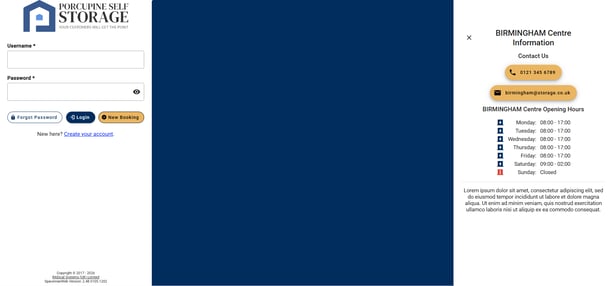
Occupiers can now see key site details at a glance, wherever they are in the Portal or Shop. A new info button in the top bar clearly shows important site information such as opening hours, contact phone number, email address, and any other key messages the site wants to share.
This makes it quicker and easier for customers to get in touch, understand when the site is open, and access reliable information without hunting through pages or making unnecessary calls supporting smoother, more confident day‑to‑day operations for both occupiers and site staff.
A short setup article helps site teams turn this on quickly so customers always see clear, up-to-date information.
Shop Emails Now Using Graph API
Spaceman Shop now has the option to send emails using Microsoft’s Graph API, giving you a more modern and reliable email connection.
Improvements to existing features
Redesign of button placements for easier navigation
The Shop and Portal layouts have been updated so navigation and cancel actions are always in the same place, making it easier for customers to move through each step without mistakes. The back button in Shop has been moved into the top action bar to match Portal, and all cancel buttons now sit to the left side of the screen, reducing accidental cancellations.
Full site address is Spaceman Shop
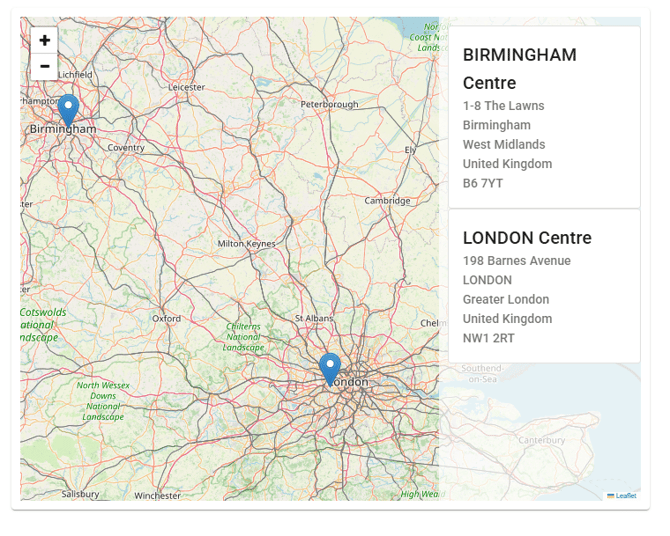
The site selection page in Shop now shows the full site address, including additional address lines and town, formatted correctly for each country. This gives occupiers clearer information when choosing a site and removes the need for operators to manually adjust address lines.
Clearer Reservation Checkout Summary
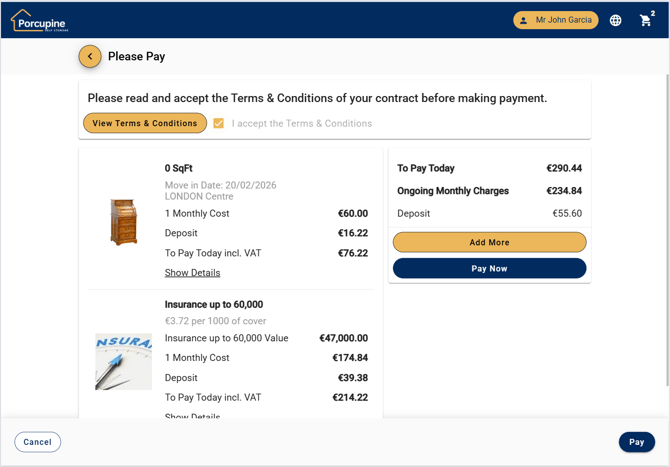
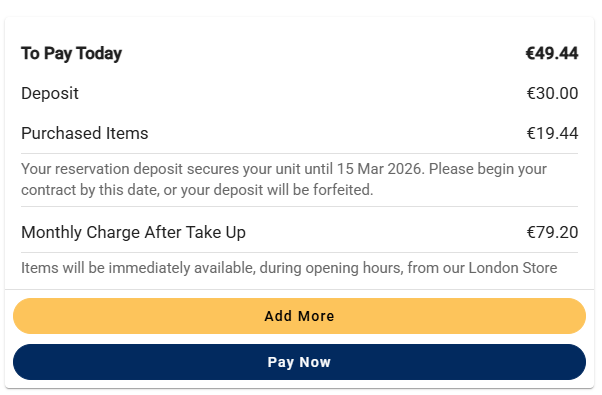
The reservation checkout page now clearly separates what you pay today from future storage charges, so occupiers can see exactly what they’re agreeing to. Updated wording, better layout, and a clear note about reservation expiry and deposits reduce confusion, helping operators avoid misunderstandings, questions, and rework at move-in.
Smarter ID Verification on the Portal Identification Page
If Identification verification is enabled in Spaceman Desktop, the Identification page on the portal will now use the same checks, helping occupiers enter their ID details correctly and keeping your records consistent with your in-store process.
Bug fixes (13 total)
Spaceman Portal & Shop (7)
Access control password alignment, vacated contract signing button removed, email formatting fixed, filter chip visibility improved, theme images apply instantly, outstanding balance label fixed on small screens, default reports work after cloud migration.
Spaceman Desktop v3.4.72 (6)
VAT recalculation fixed, expired notices to leave cleared automatically, archived default payment methods unset, mail merge email logging corrected, longer template file paths supported, log-off error removed with reports/templates open.